E-commerce video
Faceless video ads for online stores: choosing an AI generator
Plenty of stores sell without a founder on camera or a creator on contract. A faceless ad lets the product, a pair of hands and a voice-over do the selling. This guide covers what the format needs, six criteria to judge an AI generator, a fair comparison of tool categories, and where Dokiri Studio fits and where it doesn’t.
By the Dokiri Studio team · November 6, 2026 · 7 min read
In this article
What a faceless ad is, for a store
A faceless video ad shows the product and what it does without anyone talking to the camera. A voice-over carries the message, captions repeat it for people watching muted, and the pictures stay on the product. For a store, it’s the natural format when there’s no creator budget, nobody willing to be filmed, or too many products to shoot one by one.
Most faceless product ads take one of four shapes:
- Product hero: close-ups on materials and details, the product in use, and a narrator saying why it’s worth having.
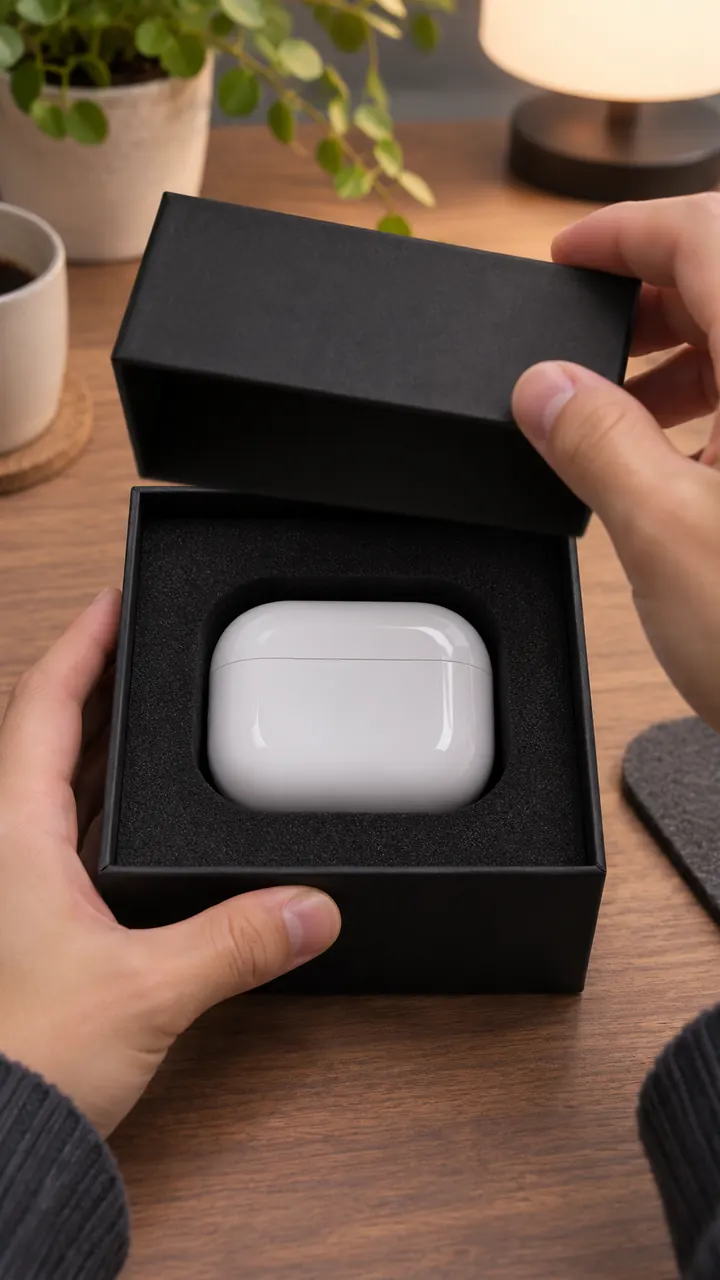
- Hands only: an unboxing or a first use filmed like a phone video, on a table in daylight, no face in frame.
- Problem → solution: an everyday annoyance, then the product fixing it. People can appear, but nobody addresses the camera.
- Caption-led: on-screen words do most of the talking over product shots.
What faceless is not: a talking avatar or a creator reading your script. If the trust you need comes from a real person, such as a testimonial or a skincare routine, a faceless ad won’t replace it. It replaces the shoot, not the social proof.
Six criteria to judge a generator
Every AI video tool looks good in its own showcase. Judge it on your product instead.
- Product fidelity from real photos. The ad must show the item the customer will receive. A tool that starts from your photos keeps shape, colour and packaging closer than one that invents the product from a sentence. Test with your hardest item: a printed label, an unusual colour, a transparent bottle.
- Claims that stay true. An ad that promises more than the product page is a refund or a rejected ad waiting to happen. Look for a tool that writes from your description and lets you read every line before rendering.
- Vertical 9:16 from the start. A horizontal video cropped for Reels, TikTok or Shorts loses the product at the edges.
- Captions for sound-off viewing. Many people scroll with the sound off; media buyers treat that as a working rule. Burned-in captions read the same on every platform.
- Cost per finished ad. Not the plan price: the price of one ad you would actually run, failed attempts included. Do you pay for drafts? Do you see the price before you commit?
- Volume for testing. One ad tells you little. Check how quickly a tool takes you from one product to five or ten genuinely different concepts.
The tool categories, compared
| Tool type | Starts from | Product fidelity | Faceless fit | Watch out for |
|---|---|---|---|---|
| Text-to-video models | A written prompt | Low to medium: the product is invented | Good for mood shots and B-roll | Script, edit and captions are on you |
| Template editors | Your own clips and photos | High: it’s your footage | Good if you already have product shots | Animated stills can feel static; editing takes time |
| Avatar tools | A script read by a digital presenter | Medium: often a still image | Not faceless: a presenter is on screen | A synthetic face can cost trust |
| UGC marketplaces | A brief sent to real creators | High: real product, real hands | Possible if you ask for hands only | Days of turnaround, a fee per video, samples to ship |
| Product-to-ad generators | Photos, a link or a description | Medium to high: drawn from your photos | Strong: voice-over, product shots, captions | Fewer manual controls; check every claim and shot |
No category wins everywhere. If you already film your products, a template editor is cheap and faithful. If you need volume from photos alone, a product-to-ad generator is faster. If trust in your niche rests on real customers, a UGC marketplace is worth the wait.
Where Dokiri Studio fits, and where it doesn’t
Dokiri Studio is a product-to-ad generator. You add a product with up to four photos, a product page link or one from your library, and it writes a vertical ad around it. Every product ad format is told by a narrator, so the ad never depends on someone speaking to the camera.
- Faceless by construction: the Unboxing format is written as hands only, and Product demo keeps the product the hero of nearly every shot.
- Claims come from your description: the ads claim nothing it doesn’t say, so write the real benefits in.
- You read before you pay: the script, cast and shots are written for free. A “Change something” note rewrites them, “no faces, hands only” included, and you pay for the exact script you approved. See review and rewrite.
- Ready for sound off: captions burned in word by word, three words at most, the current word in orange.
- One format: every video is 9:16, 720×1280, 30 fps.
- Volume: one product becomes 5 or 10 distinct concepts in a batch, downloaded as a ZIP with a CSV laid out for Meta Ads Manager.
The price in credits is shown before you pay. A typical 30-second Standard video is about 27 credits; on the Creator plan (70 credits for $19.99 a month) that’s roughly $7.71 of credits per ad. Credits explains how it’s worked out.
Where it doesn’t fit
- You need a real customer’s testimonial or a creator’s face: work with real people.
- You need music: the videos have a voice and captions but no music track. Add it in your editor.
- You need square or horizontal versions: Dokiri only makes 9:16.
- You want to tweak a finished video: a made video can’t be re-edited or regenerated, so change the script before paying.
- You need a pixel-exact copy of a technical product: an AI drawing from photos stays close, not identical.
- You want a faceless video for a channel: the faceless format on the From an idea tab starts from a topic, not from your product photos.
A faceless ad workflow you can run today
- 1
Prepare the product
Three or four clean photos, shortest side at least 300 px, the best one first: it becomes the cover. Write a description with the real benefits and nothing you can’t back up.
- 2
Pick a product-led format
Unboxing for a first-impression feel, Product demo for a premium look, Problem → solution when the product fixes a visible annoyance.
- 3
Steer the angle
In “Angle, offer or audience”, say who it’s for or what the offer is, and ask for no faces if the format might show people.
- 4
Read every shot
On the review page, check the Cast and the Shots. If a shot shows a face or a line overpromises, send a “Change something” note.
- 5
Make it and watch it muted
The video is ready in 3 to 10 minutes. Watch it on a phone with the sound off, then check the safe zones.
- 6
Test in a group
Run three to five versions with different openings rather than one polished ad.
For busy parents who cook on weeknights. No faces on screen: hands, the pan and the kitchen only. Open on the problem (eggs sticking to an old pan), show the product by the second shot, end on the pan on the hob. Don’t mention the price.
Mistakes to avoid
- Starting from weak photos: blurry, cluttered or watermarked photos give the AI less to draw from. One clean photo beats four average ones.
- Slipping claims into the angle: keep benefits in the description, where you can check them against the product page.
- Opening on the logo: the first two seconds belong to the problem or the most striking image of the product. Short of ideas? The free hook generator writes eight openings.
- Judging with the sound on: much of your audience won’t hear it. Watch every ad muted first.
- Testing one ad and calling it: a losing ad tells you about that ad, not about faceless ads. Change one thing at a time and compare.
Frequently asked questions
Do faceless video ads work for e-commerce?
Best when the product is visual and its benefit can be shown: a gadget, a kitchen tool, an accessory. Less well when trust depends on a person: a supplement or a skincare result usually needs a real customer’s voice.
Can Dokiri make an ad with nobody on screen?
Every product ad is told by a narrator, and the Unboxing format is written with hands only. For other formats, ask for no faces in the angle field or with a “Change something” note, then check the shots before you pay.
Will the product look exactly like my photos?
It’s drawn from your photos, so it stays close, but it’s AI-generated: check labels and small print in each shot. A made video can’t be regenerated, and credits come back only when a video fails, so settle the script first.
Does the video include music?
No. The videos have a voice-over and burned-in captions, with no music track. Add music in your editor if you want it.
How much does a faceless ad cost with Dokiri?
The price depends on length, number of shots and quality, and you see it before paying. A typical 30-second Standard video is about 27 credits, a Premium one about 150. Writing and rewriting the script is free.